Ringtone Maker Review: Make Better Phone Sounds
A ringtone should be recognizable before the second ring, not a 30-second song intro that leaves you checking your phone too late. That is the simple standard behind this ringtone maker review. The best ringtone tools make it easy to grab the right part of a sound, save it in a phone-friendly format, and get on with your day without asking for a subscription.
For most people, a ringtone maker is not about producing studio-quality audio. It is about turning a favorite line, beat, sound effect, or short clip into something that works when a call comes in. A good tool should feel quick, clear, and free enough to use for one small job.
What a Ringtone Maker Should Actually Do
A ringtone maker usually lets you upload an audio file, choose a section, trim it to length, and export the result. That sounds basic because it is. The problem is that some tools make a basic task harder than it needs to be with account requests, confusing editors, watermarks, or too many ads between you and the download.
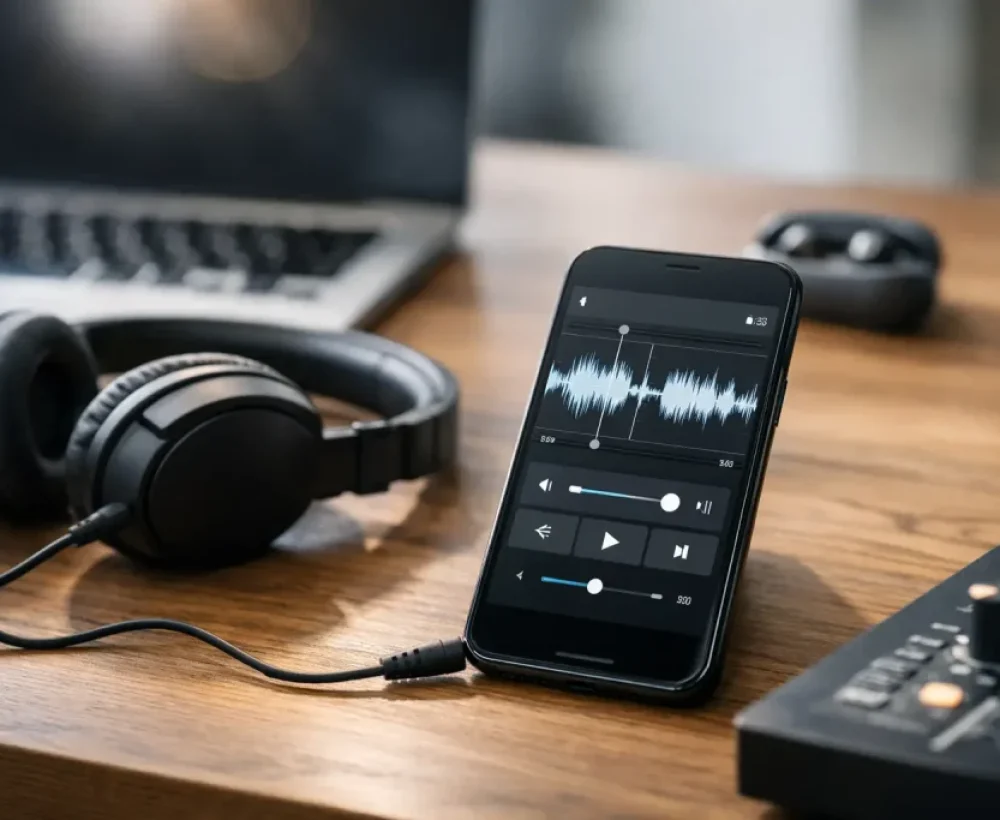
The useful features are straightforward. You need a waveform or timeline that shows where the sound starts and ends. You need simple trim handles, a preview button, and an export option that fits your phone. MP3 is the common choice for Android. iPhone users often need M4R or need to move the finished clip through a phone or desktop app.
Volume control is another feature worth having. A quiet movie quote may sound fine in headphones but disappear in a noisy store or car. A basic boost can help, although pushing the volume too high creates crackling and harsh sound. If a tool includes fade-in and fade-out controls, use them lightly. They can prevent a ringtone from starting or ending with an awkward pop.
Ringtone Maker Review: The Features That Matter
The strongest free ringtone makers keep the editing screen focused. You should be able to upload a file, select 15 to 30 seconds, preview it, and download it without reading a tutorial. A tool does not need dozens of effects to be useful.
Trimming and Previewing
Trimming is the main event. Look for an editor that lets you zoom in enough to cut before a word, drum hit, or sound effect begins. Starting a ringtone a fraction of a second too early can leave you with silence. Starting too late can cut off the part you wanted.
Previewing matters just as much. Listen to the clip from the very beginning after every major edit. What sounds great halfway through a track may have a strange opening when it plays as a ringtone. Pick a section with an immediate hook, a clear voice line, or a distinct sound.
File Formats and Phone Compatibility
Format support is where many otherwise decent tools become annoying. If you use Android, an MP3 file is usually the easiest route. After downloading, move it into the Ringtones folder or choose it from your phone’s sound settings.
For iPhone, the process can take an extra step. Apple ringtone files are generally limited to about 30 seconds and use the M4R format. Some ringtone makers export M4R directly. Others export MP3 or M4A, which means you may need to convert or transfer the file before it appears in your ringtone list.
That does not make one phone better than the other. It simply means the best ringtone maker for you depends on what your device accepts and how much setup you are willing to do.
Ads, Accounts, and Download Friction
Free tools often run on advertising, and that is normal. The real question is whether ads get in the way of the file you came to make. A reasonable free tool may show an ad on the page. A frustrating one sends you through several pages, opens pop-ups, or makes the final download hard to find.
Account requirements are another trade-off. Creating an account can be useful if you want to save several edits and return later. For a single ringtone, it is usually unnecessary. The better experience is one where you can finish the job in a browser and keep your clip.
How to Make a Ringtone That Sounds Good
The easiest mistake is choosing too much audio. A full chorus or long sound clip may be fun once, but it becomes tiring when you hear it for every call. Shorter is usually better.
Start by finding the moment people recognize immediately. For a song, that might be the first line of the chorus or a signature instrumental hit. For a funny sound, use the punchline, not the setup. For a sound effect, choose the cleanest version with no dead air before it.
Keep the clip around 15 to 25 seconds when possible. This gives you enough sound to recognize without turning every incoming call into a performance. If the sound repeats well, make the endpoint land naturally. A harsh cut is not a dealbreaker, but it can get old quickly.
Before saving, test the clip at normal phone volume. Headphones hide problems. Phone speakers reveal them. If speech is hard to understand, try a different section instead of boosting the volume too much. Clear audio beats loud, distorted audio every time.
Using Downloaded Sounds Instead of Editing From Scratch
Not every ringtone needs to start with a full song or a file from your library. Ready-made ringtone clips can be faster, especially when you want something funny, classic, spooky, or easy to hear. A short animal sound, retro phone tone, dramatic sting, or simple beat can work better than a crowded music clip.
This is where broad sound libraries are useful. MingoSounds, for example, organizes ringtones, funny sounds, animal sounds, scary sounds, and effects so you can preview quick options before downloading. If the clip is already short and clean, you may not need a ringtone maker at all.
Editing is still useful when you want a more personal result. You might trim a sound effect to remove silence, combine a short intro with a voice line, or make separate tones for family, work, and friends. Just keep each ringtone distinct enough that you know who is calling without looking.
Common Problems and Simple Fixes
If your new ringtone does not show up on Android, check that the file is in the Ringtones folder and restart the sound settings screen. If it plays but is too quiet, test a cleaner source file or choose a louder section rather than applying extreme amplification.
If an iPhone will not accept the file, check the format and duration first. A clip that is too long or saved as a standard MP3 may need to be converted to M4R before it can be assigned as a ringtone.
Copyright is worth thinking about, too. Making a personal ringtone from audio you own is different from reposting or distributing copyrighted music. For shareable videos, public projects, or uploads, use audio you have permission to use or choose free sound effects and original clips made for downloading.
A ringtone maker earns its place when it gets out of the way. Pick a clean source, cut to the part that hits first, preview it on a phone speaker, and save a clip you will still enjoy hearing after the tenth call.