Download Cartoon Sound Effects in Seconds
A perfectly timed boing can make a boring clip funny. A slide whistle can turn a reaction into a joke. When you need to download cartoon sound effects, the goal is usually simple: find a recognizable sound, preview it fast, and save an MP3 without digging through a complicated audio library.
Cartoon sounds work because they are big, clear, and instantly readable. Even a one-second pop, crash, or goofy whistle can tell people what happened before they have time to think about it. That makes these clips useful for short videos, memes, phone alerts, casual edits, game moments, and joke content.
What Counts as a Cartoon Sound Effect?
Cartoon sound effects are exaggerated audio clips made to add humor, surprise, movement, or impact. They do not have to come from a specific cartoon. The style is what matters: quick, playful, over-the-top sounds that make an action feel bigger than real life.
A character slipping on a banana peel does not need a realistic shoe sound. It needs a fast whoosh followed by a bonk, crash, or springy boing. A text message can become more fun with a tiny pop or squeak. A fail video may only need a descending whistle to land the joke.
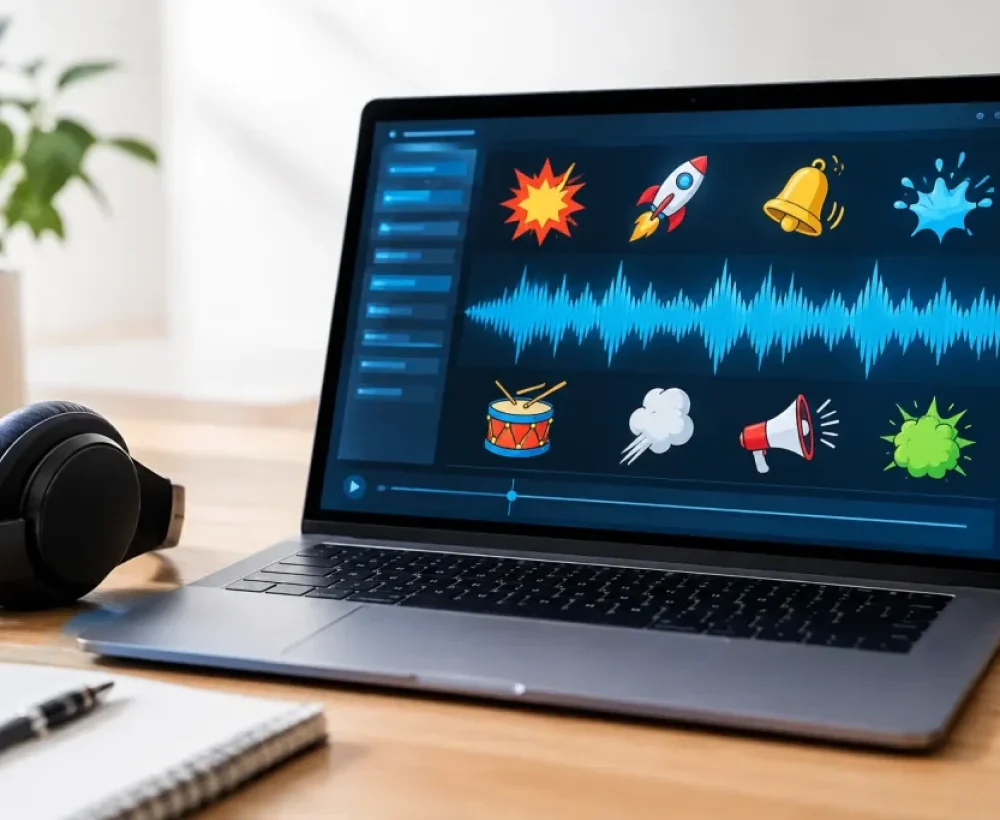
Common cartoon-style sounds include boings, slide whistles, comedic drum hits, squeaks, bubble pops, twinkles, zaps, bonks, crashing objects, spins, and exaggerated animal noises. You can also use short crowd reactions, goofy laughs, and arcade-style effects when the clip needs more personality.
How to Download Cartoon Sound Effects Quickly
Start by thinking about the moment, not the exact sound name. You may not know whether you need a “rubber boing” or a “spring bounce,” but you probably know that something just bounced, failed, appeared, or disappeared. Search with simple action words such as fall, hit, pop, whoosh, laugh, magic, surprise, or fail.
Preview the full clip before downloading. The first half-second can sound perfect, while the ending may be too long, too loud, or include an extra effect you do not need. For a ringtone or notification, short sounds are usually better. For a video edit, a longer clip can work if it builds into the action.
When you find the right sound, save the MP3 to your phone or computer. On a phone, it may go to your Downloads folder first. From there, you can use it in a video editor, send it in a chat, set it as a custom alert, or move it into a soundboard app. MingoSounds keeps the process simple for people who want free sounds without extra steps.
The best choice depends on where the sound will play. A clean pop may work great as a message alert but feel too small under background music. A loud crash can sell a funny video moment but become annoying as a ringtone. Preview with the final use in mind.
Pick Sounds That Match the Joke
A cartoon sound effect should support the action instead of fighting it. If the video already has a lot happening, one clear sound is stronger than stacking five effects on top of each other. Too many boings, whistles, and crashes can make the joke harder to follow.
For fast movement, use a whoosh, zip, or whip sound. For a sudden stop, try a skid, record scratch, or short mute followed by a bonk. For something cute or small, squeaks, tiny bells, bubbles, and soft pops usually fit. A magic reveal often works with sparkles, chimes, or a rising twinkle.
Timing matters as much as the sound itself. Put the effect right on the movement whenever possible. A crash should land on the impact. A pop should happen when the text appears. If you are making a reaction clip, let the visual set up the moment, then use the sound to punch it up.
A little silence can help too. If a video has constant music or talking, lowering the background audio for one beat before a dramatic cartoon sound can make it hit harder. You do not need pro editing skills to do this. Most basic mobile editors let you split clips and adjust volume.
Good Uses for Free Cartoon Audio
Cartoon sounds are not only for animation. They are useful anywhere you want a quick emotional reaction without adding a lot of words.
For social posts, use a short pop for captions, a whoosh for transitions, or a goofy fail sound for a missed shot. For memes, recognizable sounds can make a plain image or screen recording feel more intentional. Keep the effect short so it does not slow down the post.
For phones, cartoon clips make fun notification tones and custom ringtones. A short chime, squeak, or comedic “ta-da” can be easier to notice than a standard alert. Avoid very loud crash sounds if you get notifications all day, unless you want every group chat message to feel like a construction accident.
For casual projects, use effects to make slideshows, birthday videos, classroom clips, family edits, or gaming highlights feel more lively. A beep for a wrong answer, an applause burst for a win, or a drum sting after a punchline can do a lot with very little editing.
Soundboards are another easy use. Save several short clips so you can play them during game nights, calls with friends, or live streams. Short files load faster and are easier to trigger at the right moment.
Keep Your Edit Clear, Not Noisy
Cartoon audio is meant to stand out, so watch the volume. If the effect is much louder than voices or music, it can sound harsh through headphones. Start by lowering the sound effect a little, then raise it only if it gets lost in the mix.
You should also leave room between effects. If a pop leads into a crash and then a whistle with no pause, the audio can turn into clutter. One strong effect per beat is often enough. In a very short meme, one well-placed sound may be the whole joke.
File length matters as well. For notifications and button sounds, look for clips under a few seconds. For video transitions, choose sounds that match the transition length. If an effect is too long, trim it in your editing app or choose a shorter version instead of forcing it to fit.
Before You Use a Sound Publicly
Free downloads are convenient, but how you plan to use a sound still matters. Personal use, a private joke video, or a custom phone alert may have different rules than a monetized channel, paid ad, business post, or game release. Check the usage details on the sound page before publishing something publicly.
It also helps to avoid using clips that imitate protected characters, famous movie lines, or recognizable branded sounds when your project could create confusion. Generic cartoon effects such as pops, whistles, boings, and crashes are usually the more flexible choice for everyday edits.
If you are posting to a platform with automated audio checks, keep a copy of the downloaded file and the page details for your own records. That will not guarantee every platform decision, but it makes it easier to track what you used later.
The right cartoon sound does not need to be rare or complicated. A quick squeak, pop, or boing can make a text alert more fun, give a video transition energy, or turn a small mistake into the best part of a clip. Preview a few options, trust the timing, and save the one that gets the laugh fastest.