WAV Versus MP3 Sounds: Which Should You Use?
A 10-second laugh track can sound great as either format. The difference shows up when you save it to your phone, send it in a message, add it to a video, or edit it again later. When comparing WAV versus MP3 sounds, the best choice usually comes down to one simple question: do you need the highest-quality source file, or do you need a small file that downloads fast and works almost anywhere?
For most ringtones, memes, sound effects, and casual social posts, MP3 is the easy answer. WAV has its place too, especially when you plan to edit, mix, or keep an original sound at full quality.
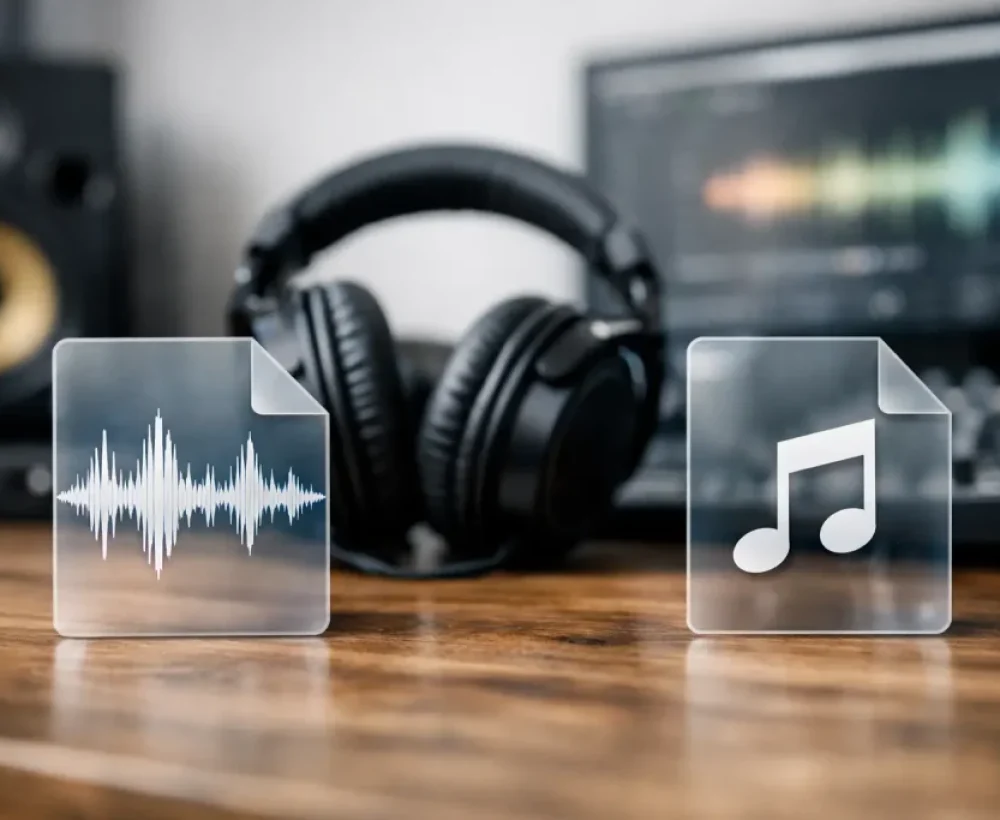
WAV Versus MP3 Sounds: The Basic Difference
WAV and MP3 are both audio file formats, but they store sound in very different ways.
A WAV file usually keeps audio uncompressed. That means it holds much more of the original recording data. The result can be cleaner, fuller sound, particularly when the source was recorded well. The trade-off is file size. A short WAV clip can be several times larger than the same sound saved as an MP3.
An MP3 file uses compression to make the audio much smaller. It removes sound information that is less noticeable to most listeners, allowing a clip to download, save, and share more easily. At a good bitrate, such as 192 kbps or 320 kbps, many people will not hear a meaningful difference on phone speakers, earbuds, or laptop speakers.
Think of WAV as the larger original and MP3 as the convenient everyday copy. Neither is automatically better. They solve different problems.
Why File Size Matters More Than You Think
File size is one of the biggest practical differences between WAV and MP3 sounds. A one-minute WAV file can easily take up around 10 MB or more, depending on its settings. A one-minute MP3 might be closer to 1 MB to 3 MB while still sounding perfectly fine for common use.
That difference matters when you are downloading multiple ringtones, grabbing a folder of sound effects, or keeping lots of clips on a phone with limited storage. It also matters when you need a sound to load quickly on a website, in a chat app, or in a lightweight video editor.
For a single short notification sound, the extra space from a WAV file may not be a problem. For a library of funny sounds, drum loops, animal noises, and background clips, MP3 files are much easier to manage. They are also faster to upload if you are posting a simple video or sending audio to a friend.
When MP3 Is the Better Choice
MP3 is the default format for casual audio because it balances decent sound quality with small file size. It is a strong choice for phone use, quick downloads, and projects where the audio will be heard once rather than heavily edited.
Use MP3 when you want to set a ringtone, notification tone, or alarm. Most phones and common apps handle MP3 files without much trouble. If you are looking for a funny quote, a scary sound, a street ambience clip, or a quick sound effect for a meme, an MP3 is usually all you need.
MP3 also makes sense for casual video creation. If you are adding a short sound to a social post, gaming clip, slideshow, or personal project, the platform may compress your video audio again anyway. Starting with a huge WAV file will not necessarily make the final post sound better.
The main exception is low-quality MP3 audio. A heavily compressed file can sound dull, swishy, thin, or distorted, especially with music, cymbals, crowd noise, or layered effects. If quality matters, look for a higher-bitrate MP3 rather than assuming every MP3 sounds the same.
When WAV Is Worth Downloading
WAV is useful when you want to preserve as much audio detail as possible. This matters most before editing begins.
If you are making a beat, cutting together a podcast intro, mixing a game sound, or layering effects in audio software, WAV gives you more room to work. You can trim it, boost it, add effects, and export it without beginning from an already compressed source. That does not make every edit perfect, but it helps avoid extra quality loss during repeated saves.
WAV can also be a good pick for sound effects with sharp detail. Door slams, impacts, engine sounds, drum hits, and atmospheric recordings may hold up better during editing when you start with a full-quality file. This is especially true if you plan to slow down the sound, pitch it lower, or stretch it to fit a video.
Still, WAV is not magic. A bad recording saved as WAV stays a bad recording. If the original clip has background hiss, clipping, or distortion, the larger file will preserve those problems too.
Does WAV Actually Sound Better Than MP3?
Sometimes. Not always.
On studio headphones, good speakers, or a careful editing setup, a WAV file can reveal more detail than an MP3. You may notice smoother high frequencies, more natural reverb tails, and less of the watery or metallic sound that can happen with strong MP3 compression.
On a phone speaker, the difference can be hard to hear. Many everyday sounds are short, simple, and played in noisy places. A ringtone playing in a pocket, a cartoon effect in a group chat, or a quick soundboard clip does not need a giant file to do its job.
The source audio matters as much as the format. A well-made 320 kbps MP3 can sound better than a poorly recorded WAV. Length matters too. With a two-second horn sound or a short voice clip, convenience is usually more valuable than tiny details most listeners will never notice.
Can You Convert WAV to MP3 Later?
Yes. Converting WAV to MP3 is common and usually straightforward. This is one reason creators often keep WAV files while working, then export MP3 copies for sharing or downloading.
The direction matters, though. You can convert a WAV into an MP3 and make it smaller. You can also convert an MP3 into a WAV, but that will not restore audio information that compression already removed. It only creates a larger file containing the same compressed-quality sound.
If you think you may edit a sound later, save the WAV original when it is available. Then make an MP3 copy for your phone, video upload, or quick share. If you only need the clip for immediate use, downloading the MP3 saves time and storage.
Choosing a Format for Common Uses
For ringtones and notification sounds, choose MP3 unless your phone specifically asks for another format. Small files are easier to save, move, and test, and phone speakers will not usually expose the gap between a good MP3 and WAV.
For funny sounds, meme audio, prank clips, and soundboard effects, MP3 is also the practical choice. Fast downloads matter more than production-level audio detail. A short, clean MP3 gets you to the fun part faster.
For casual social videos, choose MP3 if your editor accepts it. The audio will likely be compressed when you upload, so a clean high-bitrate MP3 is often enough. Keep your volume level reasonable so the sound does not clip after the platform processes it.
For beats, loops, and editing projects, WAV is better when you have the storage space and expect to change the audio. This is also the safer option for creators who may reuse the same source in several projects.
For a growing personal sound collection, a mixed approach works well. Keep favorite editable sounds as WAV files, but use MP3 downloads for the everyday clips you want to play, share, or set on your phone. MingoSounds focuses on easy-to-use MP3 audio because that is what most quick downloads need.
A Quick Quality Check Before You Download
Format tells you part of the story, not all of it. Preview the sound if possible and listen for clipping, excessive noise, sudden volume jumps, or an awkward cut at the beginning or end. These issues can be more annoying than the WAV-versus-MP3 difference.
For music and longer ambience, choose the best quality option available without filling your device with files you will not use. For a three-second notification, choose the version that downloads quickly and plays reliably.
The right format is the one that fits what you are doing next. Save the WAV when you want an editable original. Grab the MP3 when you want a sound on your phone right now, then spend less time thinking about file types and more time finding a clip worth playing.